


Figure 2.
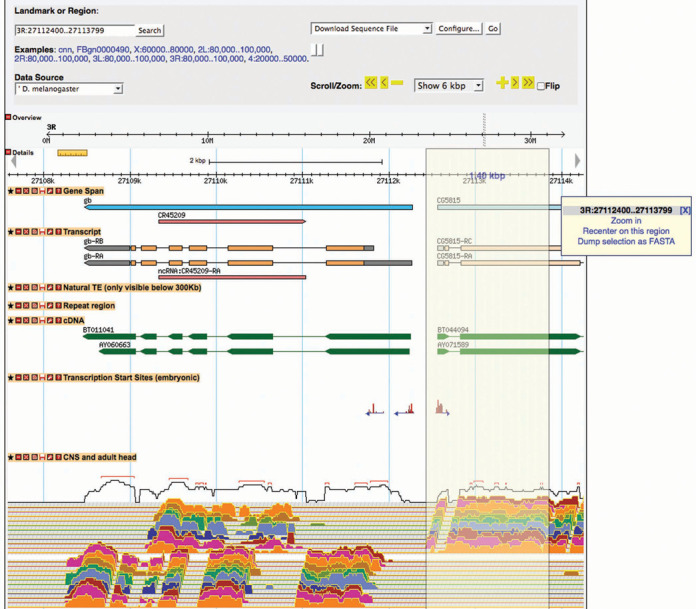
GBrowse 2. Like the original GBrowse, GBrowse 2 allows users to navigate to a region of the genome using coordinates or a landmark, and zoom or scroll along the genome to browse annotated features and aligned evidence; the data tracks shown are user-selected; genomic sequence for the region in view can be downloaded by selecting ‘Download Sequence File’ in the download option menu at the top right. However, GBrowse 2 can handle more data and has convenient new features. Tracks can be moved simply by dragging the track title bar vertically, and hidden or removed by clicking on the appropriate boxes within the track title bar. In GBrowse 2, one can also download sequence for a smaller region within view by lassoing the region (as shown for a 1.4-kb region within the 6-kb view) and selecting ‘Dump selection as FASTA’ from the resulting pop-up menu (far right).